Game Development & simulation
2026
Drone Sim — Flight Simulator in C
A flight simulator written from scratch in C, because the maths was the point. Dummy deck — replace with the real one-liner.
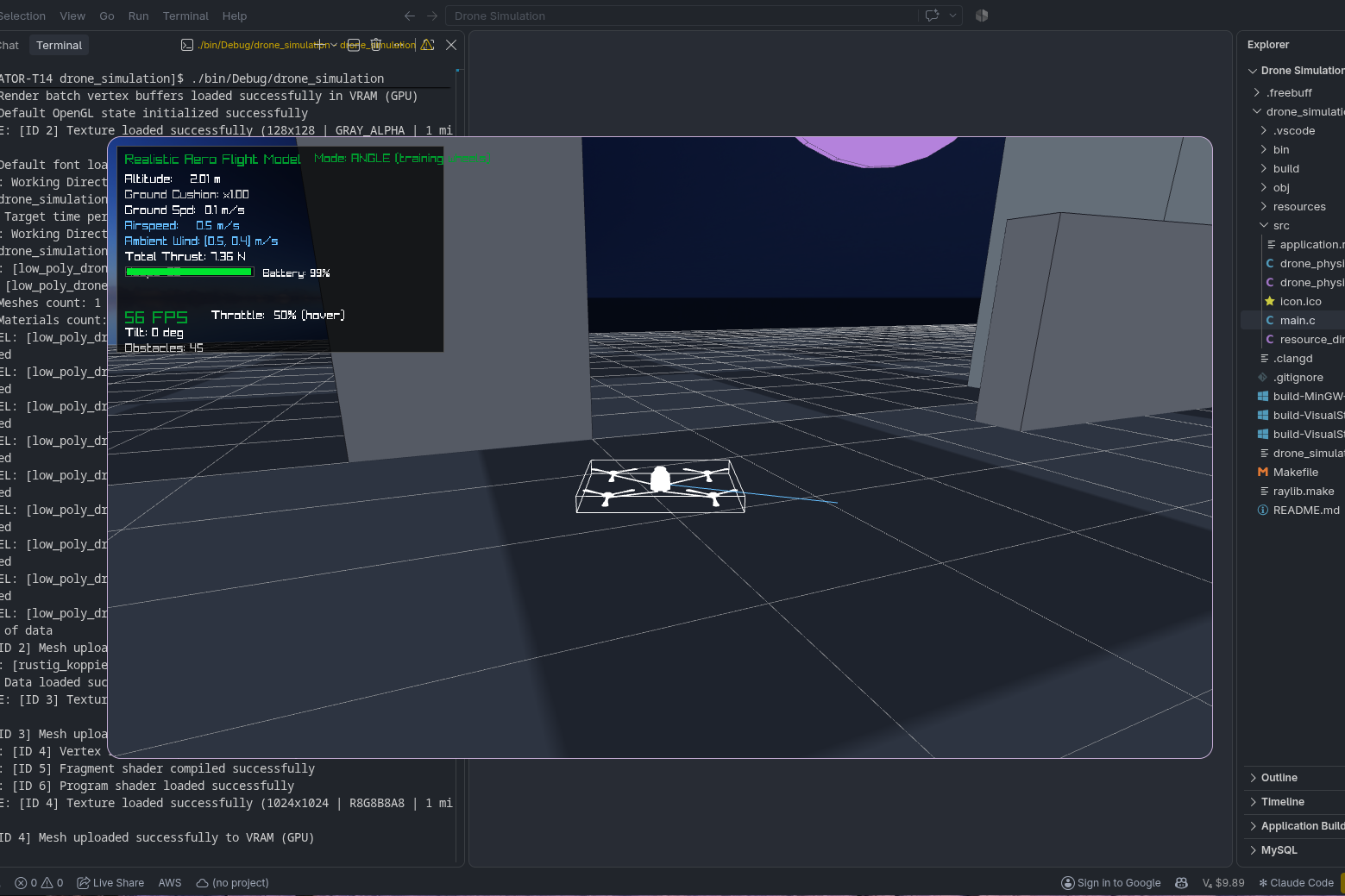
There is a particular kind of satisfaction in building something you could have downloaded in thirty seconds. Drone Sim is a quadcopter flight simulator written in C with OpenGL, no engine, no physics library, and no asset pipeline worth the name. The goal was to understand every line between the keyboard and the pixels.
It started as a way to learn how rotations actually compose — not the matrix multiplication, which is easy, but the order of operations and the frame of reference each one belongs to. Flight is a good teacher because getting it wrong is immediately visible.
Constraints
The build
The simulation runs at a fixed 120Hz and renders as fast as the display allows, with an accumulator in between. Each rotor contributes thrust along its own axis; those four forces, plus gravity and drag, integrate into linear and angular acceleration. The feel comes almost entirely from tuning the drag and inertia terms, which is a polite way of saying I spent two weeks changing numbers.
- Quaternion orientation with normalisation after every integration step.
- A spring-damper camera that lags the drone instead of following it rigidly.
- Procedural terrain from layered noise, generated once at load.
- A debug overlay showing thrust, velocity and frame time — the real design tool.
Outcome
The first version flew like a brick with a grudge. The tenth felt like a drone.
Placeholder attribution — remove or replace.
Dummy closing paragraph — replace with what the project taught you about real-time systems and what you would add next (wind, waypoints, a proper level editor).